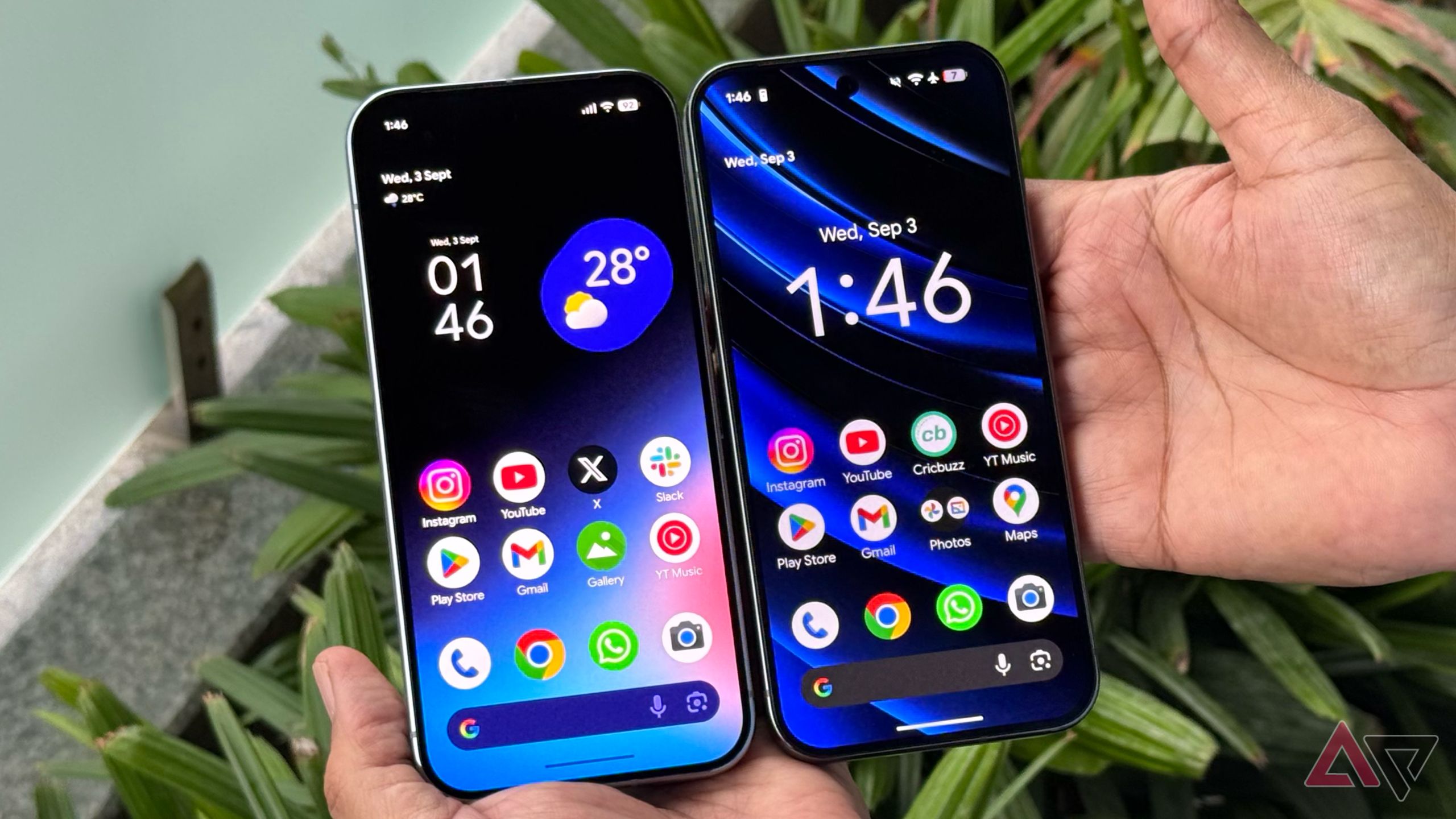
 Pixel 10 Pro (left) vs. Pixel 9 Pro (right)
 By
Timi Cantisano
Published 9 minutes ago
Timi is a news and deals writer who's been reporting on technology for over a decade. He loves breaking down complex subjects into easy-to-read pieces that keep you informed. But his recent passion comes from finding the best discounts on the internet on some of the best tech products out right now.
Sign in to your Android Police account
Summary
Generate a summary of this story
follow
Follow
followed
Followed
Like
Like
Thread
Log in
Here is a fact-based summary of the story contents:
Try something different:
Show me the facts
Explain it like I’m 5
Give me a lighthearted recap
By
Timi Cantisano
Published 9 minutes ago
Timi is a news and deals writer who's been reporting on technology for over a decade. He loves breaking down complex subjects into easy-to-read pieces that keep you informed. But his recent passion comes from finding the best discounts on the internet on some of the best tech products out right now.
Sign in to your Android Police account
Summary
Generate a summary of this story
follow
Follow
followed
Followed
Like
Like
Thread
Log in
Here is a fact-based summary of the story contents:
Try something different:
Show me the facts
Explain it like I’m 5
Give me a lighthearted recap
Despite it being in its best shape, everybody knows that Android is always a work in progress. Even if things seem like they're good, Google likes to go in and make small tweaks here and there, that may or may not be well received.
As we head into the last part of the year, we're expecting Google to deliver some improvements and changes with Android 16 QPR2. Over the past couple of months, folks have had the chance to get an early look by updating their phones with the latest beta.
A small pop of color
And while there haven't been that many major changes on the front end, Google is making it easier to customize the visual experience by introducing new app icon shapes, along with new themed icons for all installed applications. In addition, the brand is also doing a lot of work behind the scenes in order to make the OS more efficient.
According to the folks at 9to5Google, Android 16 QPR2 will also bring new enhancements to the home screen in the form of new colors that are being added to the Pixel Search bar. The new color elements will be available in both Light and Dark modes. The news outlet shares images of the new changes comparing the old and the new.
While you might not be able to see huge changes in Light mode, the news outlet does share the colors on screen just pop a bit more. However, the changes are a bit more evident in the Dark theme, with the borders of the Pixel Search bar being enhanced to really make things look quite different.
This new change also applies to the icons within the Search bar as well, making each one more distinct against the background. It's a simple but welcome enhancement, making things look a bit sharper. Google has been working hard on this release to ensure that it lands with minimal problems.
We've seen recent betas squash a variety of bugs, and we hope that Google has some surprises in store when the latest update makes its official release. Google has had a pretty good year so far, with its Pixel hardware doing record numbers. So, it would be great if the brand could finish on a high note with a solid update to Android.
And while we don't know what's in store for 2026, we can't help to get excited thinking about the moves Google will make next year. If you want to give the beta a try, you can always enroll in the beta program if you have a compatible Pixel device. Otherwise, you'll just want to wait it out because the official release is set to arrive sometime in December.
-
 Operating Systems
We want to hear from you! Share your opinions in the thread below and remember to keep it respectful.
Be the first to post Images Attachment(s) Please respect our community guidelines. No links, inappropriate language, or spam.Your comment has not been saved
Send confirmation emailThis thread is open for discussion.
Be the first to post your thoughts.
- Terms
- Privacy
- Feedback
 5 hours ago
Google Messages will soon let you open shared media immediately after saving it
 2 days ago
Google is prepping for Assistant's demise with branding changes
 14 hours ago
I didn't think this research tool would impress me, but it blew me away
 8 hours ago
Follow up questions on Circle to Search now default to AI Mode
Trending Now How to make a widget-sized folder on your Samsung phone
 Android 17 might finally bring this popular iOS feature to your device
 YouTube TV just got a UI revamp, bringing big changes to Live Guide